


Waze Navigation & Live Traffic
4.4640.58K Reviews
App Specs
- Version
- Varies with Device
- Updated On
- License
- Free
- Downloads
- 500,000,000+
- Developer
- Waze
- Categories
- Maps & Navigation
- Platform
- Android, iOS
Screenshots
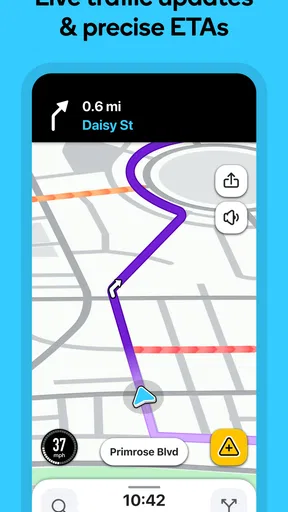
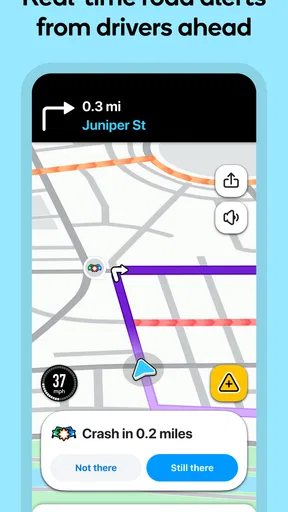
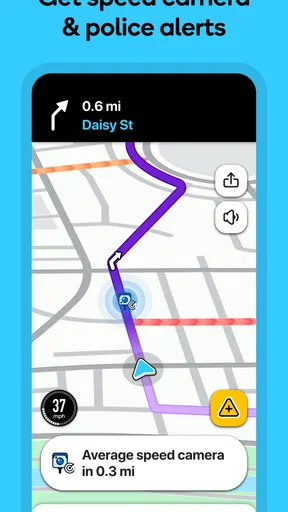
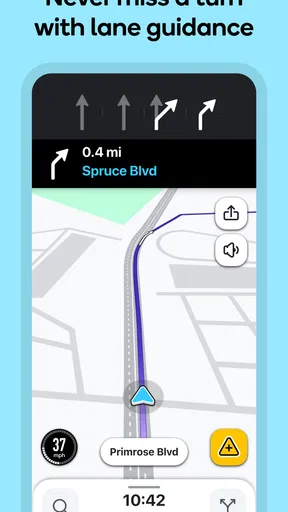
 Analysis by AppCompare
I tend to get the most out of a navigation app when I treat it as a driving companion rather than a magic shortcut. Waze Navigation & Live Traffic is built around changing road conditions and reports from other drivers, so it makes the most sense when I check a route before leaving, follow the guidance safely, and let it adjust if the trip changes. It is free, developed by Waze, and belongs to the maps and navigation category. For everyday driving, that combination makes it easy to try without committing to a paid tool.
A practical routine before setting off
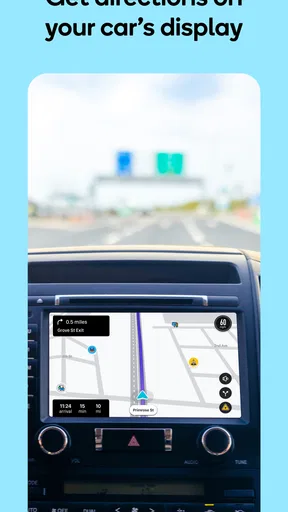
My preferred routine is simple: enter the destination while parked, look over the suggested route, and start navigation before pulling away. That quick pause gives me a chance to confirm that the destination is right and that the route suits the trip. Once moving, I rely on voice guidance instead of trying to read the screen at every turn. A route can change as traffic develops, but I still treat the directions as assistance, not a reason to make a sudden or unsafe maneuver.
This approach is especially useful on a familiar commute. I may know the main roads already, yet a slowdown or reported incident can make the usual route less attractive. Waze’s live traffic focus gives me another view of the journey, and its safety alerts can bring relevant road information to my attention. The useful habit is to consider a reroute calmly: a shorter-looking alternative is not automatically better if it adds complicated turns or takes me onto roads I would rather avoid.
Guides and Analysis on Waze Navigation & Live Traffic
Settings and habits that make the drive calmer
It is worth spending a little time with the settings before depending on the app for a long drive. If alerts feel too frequent, adjust them to the level that helps rather than distracts you. The best setup is personal: a driver who wants frequent road reports may prefer more notifications, while someone who finds extra prompts stressful may want a quieter experience. I would make those choices while parked, then leave the phone alone once the car is moving.
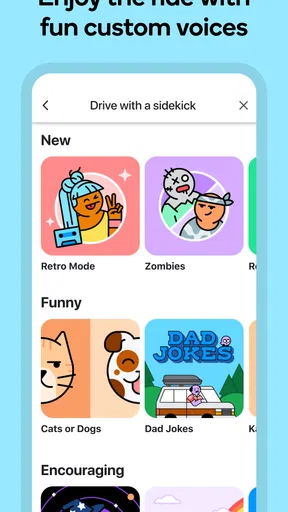
Voice guidance can also make a meaningful difference. A voice you can understand at a comfortable volume is more useful than a novelty option, even though trying different voices can be fun. If you regularly drive with passengers, agree on a reasonable sound level before starting; that small step makes it easier to hear instructions without turning the cabin into a stream of interruptions. For longer trips, keeping the phone powered is sensible because navigation can use substantial battery.
Where it fits among navigation choices
Compared with a more conventional map-first navigator, Waze puts particular emphasis on current traffic and driver reports. That can make it appealing when the route changes often, especially for commuters and people driving through busy areas. A standard mapping app may feel preferable when you mainly want to browse a map, plan a destination at leisure, or use a familiar interface that you already understand. I would choose according to the trip rather than assume that one navigation app is best for every situation.
Waze has an average rating of 4.1 from around 8.8 million ratings, and it has been installed over 500 million times. That broad reach is reassuring if you want a well-known driving app, but popularity does not remove the need to judge its directions yourself. It is rated for everyone, and it supports Android 10 and later. If your phone runs an older version, check compatibility before making it part of your routine.
Worth Reading Before You Choose

Baby Panda World Brings Quick Play to Modern Phones, but Its Game Library Feels Busy

ESPN’s Live Game View Makes Following Close Games Easier

QuizzLand Review: A Good Fit for Short Trivia Breaks, Not Every Player

Basketball Stars: Multiplayer Is Fast, but Can It Recover When Matches Go Wrong?

WEBTOON Turns Phone Updates Into a Better Reading Routine

Link to Windows Runs on Shared Habits, Not Social Feeds
A realistic commute, and the trade-offs
Imagine leaving work at the usual time to meet a friend across town. You know the general route, but the traffic has started to build. I would set the destination before driving, compare the suggested path with what I know, and then listen for updates rather than repeatedly checking the screen. If an alert points to a problem ahead, I can decide whether the alternate route makes sense. When I arrive, sharing an ETA can help the other person plan without a string of messages while I am on the road.
That is also where Waze’s community-driven approach has a limit. Reports depend on drivers noticing and sharing conditions, so the experience may feel less informative in quieter places than in busy ones. And when several alerts arrive close together, the extra detail can become noise. I would not choose it as my only source of confidence on an unfamiliar journey if I prefer a calmer, less interactive navigation experience; a simpler map app or checking the route while parked may suit me better.
There are a few useful decisions to make before a trip: whether the chosen route feels comfortable, how much alerting you want, and whether your phone will stay charged. Those checks reduce avoidable friction without requiring constant fiddling. Waze works best when it supports attention on the road, not when it competes with it.
Getting Started with Waze
First off, setting up Waze Navigation & Live Traffic is a breeze. Just download it from your app store, and you’re good to go. I love how user-friendly the interface is. Right from the get-go, it feels like the app is holding your hand, guiding you through setup and customization. You can even sync it with your calendar to get reminders about when to leave for your appointments. Seriously, why didn't I start using this sooner?
Features That Stand Out
One of the coolest features has to be the real-time traffic updates provided by other Waze users. It’s like having a community of drivers who’ve got your back. The app alerts you about accidents, police traps, and even potholes (because who wants to deal with those?). Plus, if you’re a fan of gamification, you can earn points and build your profile by contributing information yourself. It’s oddly satisfying.
Another great feature is the ability to choose from different voices for navigation. Ever wanted to be guided by your favorite celebrity? Well, sometimes they have those voices available, which just adds a fun twist to your drive. And speaking of drives, the app learns your frequent routes and suggests faster alternatives as it gets to know your routine.
The Social Aspect
Waze isn’t just about getting from point A to B; it’s also about connecting with other drivers. You can join or create groups, plan drives together, and even share your ETA with friends and family. It’s perfect if you’re coordinating a meetup or just want someone to know you’re safe on the road.
Room for Improvement
While Waze is pretty awesome, it’s not without its quirks. Sometimes, the notifications can get a bit overwhelming, especially if you're in a busy area. But you can tweak the settings to reduce the noise. Also, it relies heavily on user input, so if you’re in a less populated area, the real-time updates might not be as frequent.
Battery usage is another thing to watch out for. The app is quite resource-intensive, so it might be a good idea to keep a charger handy, especially on longer trips.
All in all, Waze Navigation & Live Traffic is a fantastic companion for daily commutes or spontaneous road trips. Its community-driven approach makes every drive feel like a team effort, and the features are genuinely helpful. If you haven’t given it a try yet, download it and hit the road. You might just find yourself enjoying traffic jams a little more—or at least dodging them more effectively!
Pros
- Real-time traffic updates enhance route accuracy.
- Community-driven alerts improve safety and awareness.
- User-friendly interface simplifies navigation.
- Customizable voices add a personal touch.
- Integrates seamlessly with music apps.
Cons
- Battery consumption can be high during use.
- Occasional map inaccuracies in remote areas.
- Ads may be intrusive for some users.
- Requires internet connection for optimal use.
- Limited offline map functionality.
FAQs for Waze Navigation & Live Traffic
What features make Waze unique compared to other navigation apps?
Waze stands out with its real-time traffic updates sourced from its user community. This allows for accurate information on road conditions, accidents, and police traps. Additionally, Waze offers features like ETA sharing, route customization, and integration with music apps, making it a comprehensive tool for daily commutes and road trips.
How does Waze ensure the accuracy of its traffic data?
Waze relies on its community of millions of drivers who actively report traffic incidents, road hazards, and speed traps. This crowd-sourced data is constantly updated, allowing Waze to provide real-time, accurate traffic information. The more users interact with the app, the more reliable the data becomes.
Is Waze suitable for offline use?
Waze primarily functions with a stable internet connection as it relies on real-time data for navigation and traffic updates. However, it can cache route data temporarily if a connection is lost. For consistent offline use, other navigation apps might be more suitable as Waze's core strength is its live updates.
Does Waze consume a lot of mobile data and battery?
Waze is designed to be efficient, but real-time updates and GPS tracking can consume data and battery. Users can minimize data usage by downloading maps over Wi-Fi before traveling. For battery conservation, using a car charger while navigating is recommended, especially on longer trips.
Can I customize routes and avoid specific roads on Waze?
Yes, Waze allows users to customize their routes by setting preferences such as avoiding highways, tolls, and ferries. Users can also input specific stops or destinations along their route. This flexibility is ideal for drivers looking to tailor their journeys to personal preferences or specific travel needs.


